Product Updates · Changelog
SwiftLaw is docx native now!
We used to be a Word plugin. Now Word lives inside SwiftLaw.
SwiftLaw started as a layer on top of the tool fund lawyers already lived in. That relationship has flipped. The word processor now runs inside SwiftLaw, on the same canvas as the AI. We rebuilt the core ways fund lawyers work on top of it: ask, edit, and draft, each as its own mode for a specific fund workflow.
How we first started
Before any of this, SwiftLaw lived inside Microsoft Word as a plugin. It met fund lawyers exactly where they already drafted. That origin shaped everything that came after: the bar was never "good enough for AI," it was "good enough for the document a fund lawyer would actually file." Here's where we began.
Word, rebuilt inside SwiftLaw
Open any document in a high-fidelity editor that behaves like the word processor you know. Type, reformat, make character-level edits, and track changes. It all happens in the browser, in the same place you generated the draft. No exporting. No context switching to make a fix. Documents render with the formatting institutional investors expect, and every edit lands as a tracked change you can review, accept, or reject.
Create a fund, fill the questionnaires
Every engagement begins as a fund. Spin one up and SwiftLaw walks through the intake. It fills the questionnaires that capture the deal's terms. From the term sheet, it drafts the full document set in the background while you work on other things, then opens everything in the editor when it's ready.
On top of that editor, we rebuilt the work itself as three modes. Each is tuned to a specific fund workflow.
Mode 01
Ask
Ask the agent to compare your terms to market standards and it hands back a sourced remediation checklist, color-coded by severity. That is the same research a fund attorney runs by hand. Tell it to implement a fix and it drafts the clause in place, with the right formatting, and flags anything that needs your review.
Mode 02
Edit
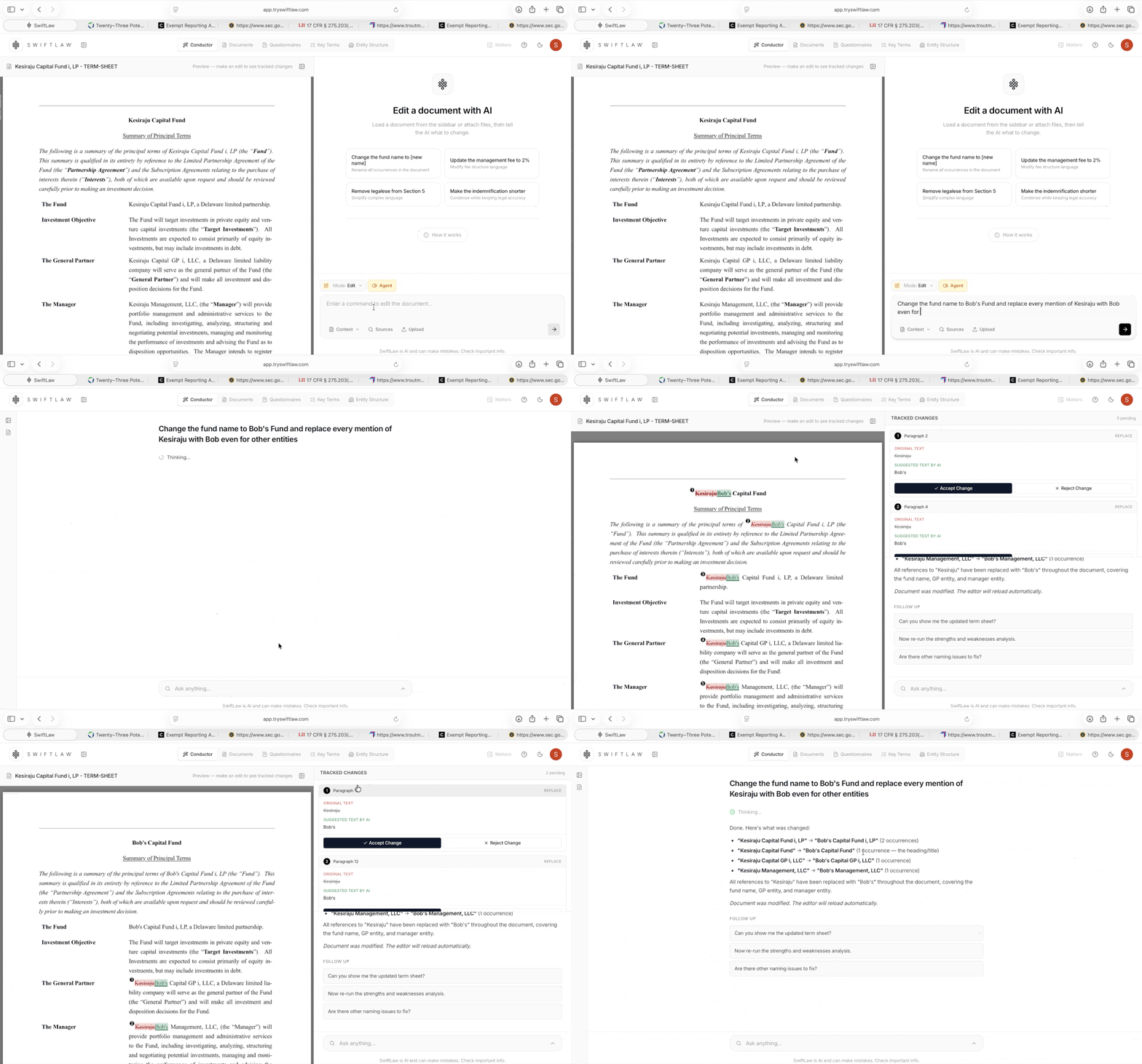
Make precise, in-line changes to any document. Rework a clause, adjust defined terms, or restructure a section. Every change is captured as a tracked edit, so the AI's work and yours stay reviewable side by side.
Mode 03
Draft
Upload a term sheet and SwiftLaw parses it, pulls the key terms, and drafts the full fund document set in the background while you keep working. The documents come back populated with deal-specific data and formatted the way investors expect.
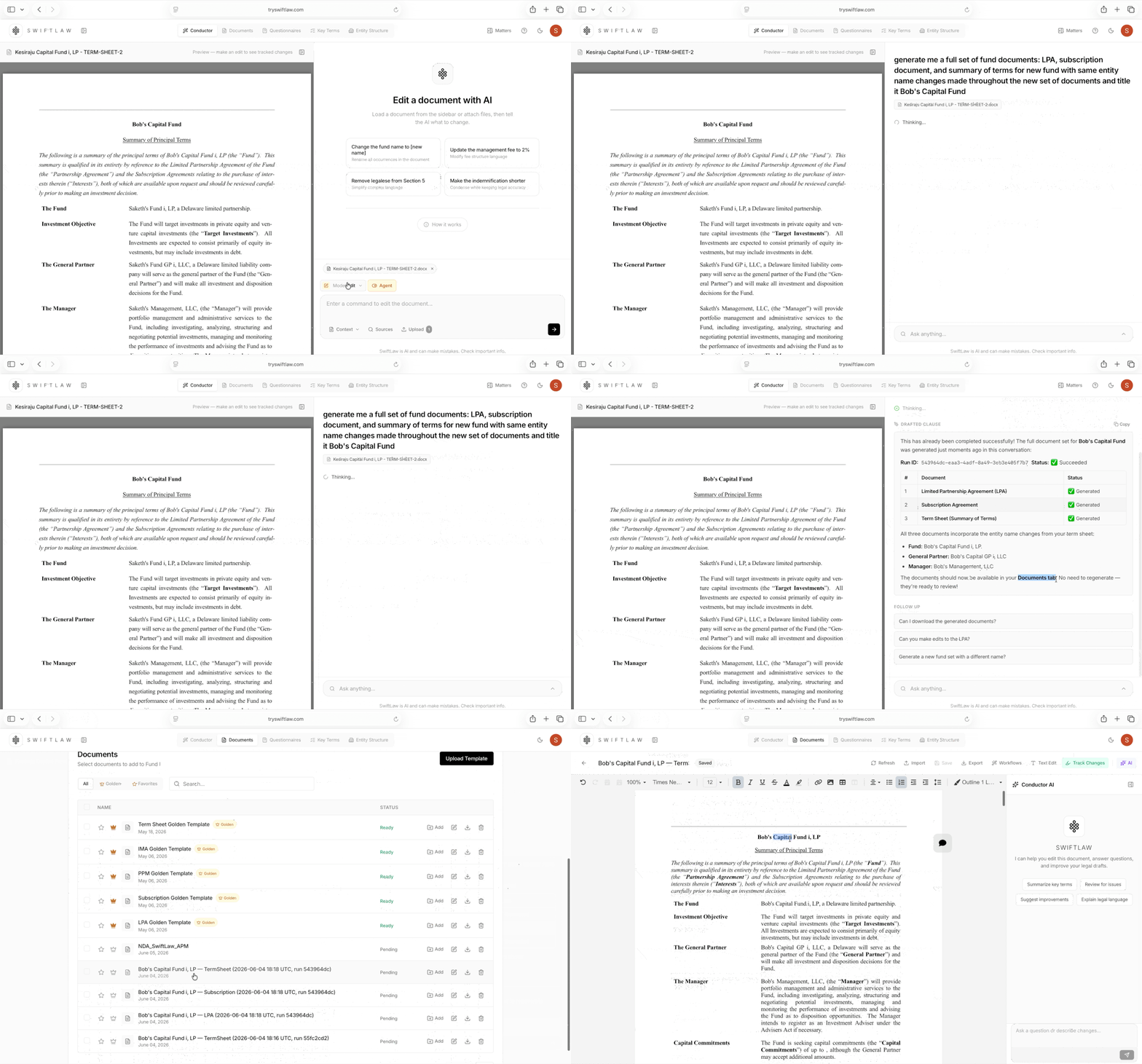
A multi-hour drafting, research, and review workflow, done in one place. This is the beginning of SwiftLaw as the platform funds run on.
Try it
Existing customers will see the new editor and the Ask, Edit, and Draft modes in their workspace today. New teams can book a demo to see SwiftLaw run a real fund formation flow end-to-end.